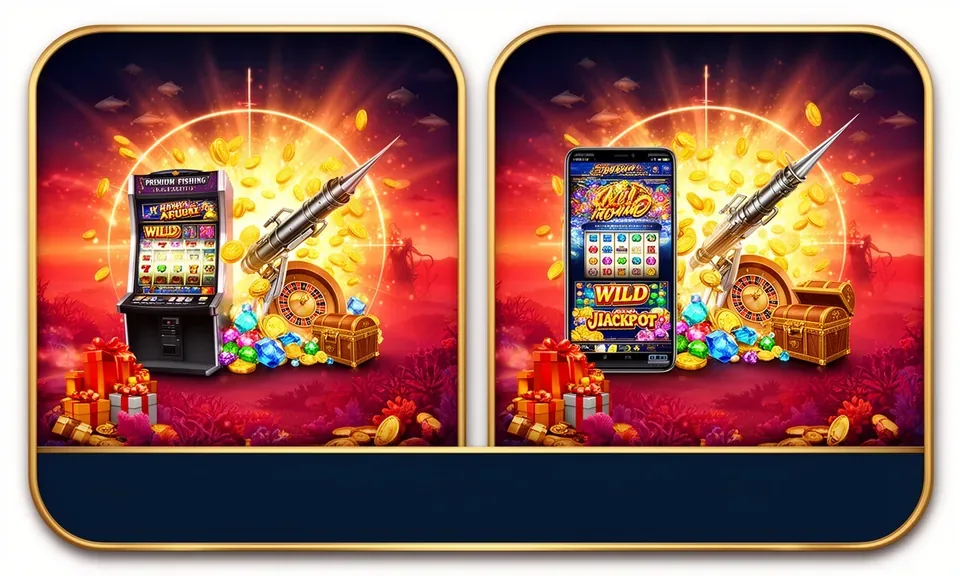
The 11starph app experience runs through your mobile browser — live casino tables, slot rooms and sportsbook categories load directly without a separate install step. Access depends on local law and is available where local law permits in eligible Philippines regions.
The 11starph lobby is built to load across the common devices Philippines players already carry. No minimum OS version is published on our end, but the experience is shaped around modern mobile browsers — the kind that ships on most current Android and iOS handsets. If your browser can render a standard responsive page, it can open the lobby. For the clearest picture of what your specific device supports right now, open 11starph directly and check the layout that loads. The account dashboard, game categories and wallet routes all adapt to the screen size detected at load time.
Mobile Browser Access
Open 11starph on Chrome, Safari or any modern mobile browser. The lobby renders responsively. No separate file download is required to reach your account, game categories or wallet section.
Screen Layout Adaptation
The layout shifts between a compact mobile rail and a wider desktop grid depending on screen width. Game cards, navigation tabs and account menus reposition automatically when you switch devices.
Account Login Requirement
A registered account is needed to access wallet functions and place real rounds. You can browse visible game categories without logging in, but the full lobby — including live tables — requires sign-in.
Currently Supported Devices
Check the device guidance published in the Help section after opening 11starph. That page reflects current compatibility; do not rely on third-party lists, which may be outdated.
Session Continuity
Your account state — game history, wallet balance, active session — is tied to your credentials, not a single device. Log in on a second screen and the same account state is there.
APP HELP PATHS
Get Help With Mobile Access on 11starph
If the 11starph lobby does not load correctly on your device, or if you have questions about your account during a mobile session, there are a few direct routes to get it sorted. The fastest path for most questions is the live chat widget visible inside the site after you open 11starph — look for it at the bottom of the screen on mobile. For account-specific issues that need a record, email support is available through the contact address published in the Help section. If you are setting up access for the first time and are unsure which browser to use or how to save the site to your home screen, the published device guide in the Help section walks through that in plain steps. All support routes are accessible from a logged-in or logged-out state.
Live Chat
The chat widget is available directly on 11starph. Open it from your mobile browser for account questions, loading issues or help navigating the lobby. Response handling depends on queue volume at the time you connect.
Email Support
For issues that need a written record — such as account recovery or wallet verification — use the email address listed in the Help section. Include your registered account details so the team can locate your record quickly.
Device Access Guide
The Help section on 11starph includes a step-by-step path for setting up mobile browser access, saving the site shortcut and confirming your browser is compatible. Start there before contacting support.
ACCOUNT SAFETY CHECK
Verify Your 11starph Mobile Access Safely
Mobile access to any account carries straightforward security habits worth keeping consistent. On 11starph, those habits start with verifying the domain before you enter credentials. The correct address is 11starph — bookmark it once and use that bookmark on every subsequent visit rather than searching each time. Password recovery and account verification steps are published in the Help section; follow the instructions shown there rather than steps from unofficial sources. Your wallet — whether connected to Maya, GrabPay or InstaPay — is accessed only through authenticated account pages, not through any external link sent via chat or SMS outside the platform. Device security is your side of the arrangement: a screen lock and a unique account password are the minimum you should have in place before using any account wallet on mobile.
Verify the Domain
Always open 11starph directly or through your saved bookmark. Check the address bar before entering your password. Phishing pages mimic real lobbies — the URL is the one thing they cannot fake correctly.
Follow Published Device Guidance
The device compatibility and browser access steps listed in the Help section reflect the current state of the platform. External walkthrough articles may describe outdated steps — use only the source published on 11starph.
Protect Your Account Credentials
Use a password you do not share with other accounts. The 11starph team will never ask for your password via chat or email. If you receive such a request, do not respond — report it through the official support channel.
Use the Published Recovery Path
If you lose access to your account, start the recovery process from the login page on 11starph. The recovery steps shown there are the ones our team works from. Starting recovery elsewhere adds delay and verification complexity.
INSIDE THE EXPERIENCE
What the 11starph Mobile Lobby Actually Delivers
Open 11starph on your phone and the lobby loads into a category-organized view — slots at the top, live dealer tables below, with sportsbook access sitting in the navigation rail. Game discovery works through category filters rather than a flat scrolling list, so you can move from Bangka Bounty in the slot room to Pattern Bingo or a live table like European Roulette Live without leaving the same interface. The account menu — wallet balance, deposit route, transaction history — is a tap away from any game page. Help pages are accessible from the same navigation without requiring a full page reload.
MOBILE PAGE BEHAVIOUR
How the 11starph App Page Works on Your Screen
The rendered behaviour of the 11starph mobile lobby is shaped around four visible features you can confirm the moment you open the site. These are not marketing claims — they are things you can check on your own screen before committing to an account. The navigation structure, game category layout, account wallet route and help page access all function the same way across supported mobile browsers. Nothing here requires a native install to verify; load 11starph and inspect each point directly.
Responsive Navigation Rail
The top navigation collapses into a compact mobile rail on smaller screens. Category tabs — slots, live casino, sportsbook, table games — remain tappable without horizontal scrolling. Switching between Pusoy Quick Match and a live table takes one tap from the rail.
Game Discovery by Category
Games are organized by category and studio so you can filter down to, say, PG Soft slot rooms or JDB fishing games directly. The category view loads quickly in a mobile browser without requiring the full desktop grid to render first.
Account Wallet Access
Your wallet — linked to Maya, GrabPay or InstaPay depending on what you set up at registration — is accessible from the account icon visible on every game and lobby page. Wallet details and transaction records are shown after login.
Help Pages Within the Lobby
Support and help pages are built into the same site structure, not routed to a separate domain. From a mobile session, you can open Help, check device guidance or start a chat without navigating away from your active account state.
THREE ACCESS STEPS
Mobile Access in 3 Steps
Getting into the 11starph lobby on mobile does not require an app store visit or a file download. The three steps below are browser-based and work on Android and iOS devices. Start with the domain, confirm your browser renders the page correctly, then sign in to reach your account. If you are a new account holder, the registration fields are on the same page you land on at step one — complete those first, then proceed to step three. The entire process sits inside your mobile browser. For the most current access instructions, the Help section on 11starph is the reference to follow, as it reflects any updates to the sign-in or verification flow.
Open 11starph
Type the address directly into your mobile browser or use a saved bookmark. Confirm the domain matches 11starph before entering any credentials. The lobby home page loads without a login for browsing.
Check Browser Compatibility
If the page layout looks broken or game cards do not load, try a different browser — Chrome and Safari handle the responsive layout on most current phones. The Help section lists compatible browsers if you want to cross-check.
Sign In to Your Account
Tap the login button on the lobby page, enter your registered email and password, and confirm. Your wallet, game history and active session state load immediately after authentication. Use the published recovery path if you need to reset access.
APP QUESTIONS ANSWERED
Common Questions About the 11starph App
These are the questions we see most often about accessing 11starph on mobile. Each answer reflects the actual state of the platform as it is published on 11starph. If your question is not covered here, the Help section and live chat are available from the site.
Is there a native 11starph app I can download from the App Store or Google Play?
A native app-store listing is not currently published. Access to the 11starph lobby runs through your mobile browser at 11starph. Check the Help section on the site for the most current information on any available build or download option.
How do I save 11starph to my phone's home screen for quicker access?
On Android, open Chrome, tap the three-dot menu and select 'Add to Home screen. ' On iOS Safari, tap the Share icon and choose 'Add to Home Screen. ' This creates a shortcut that opens 11starph directly, behaving like a launch icon without being a native app.
Can I use my Maya or GrabPay wallet through the mobile browser version?
Yes. Wallet routes set up during account registration — including Maya, GrabPay and InstaPay — are accessible through the account section after login on any supported mobile browser. The wallet page shows your current balance and available routes.
Does the 11starph mobile lobby show the same games as the desktop version?
The game catalogue — including slots from PG Soft and Pragmatic Play, live tables and sportsbook categories — is the same across devices. Layout differs: mobile shows a compact category rail, desktop renders a wider grid. Content and account state are consistent.
What should I do if the lobby does not load correctly on my phone?
First, try a different browser — Chrome or Safari handle the responsive layout on most current devices. Clear the browser cache if the issue persists. If it still does not load, contact support through the live chat on 11starph or use the email address in the Help section.
Is access to 11starph on mobile available everywhere in the Philippines?
Access depends on local law and is available where local law permits in eligible Philippines regions. Check the terms and eligibility information shown on 11starph for the current access conditions applicable to your location.
 Mobile / Slots